

Watermark your photos
Your mark is stamped onto what guests get: the gallery and their downloads, showcases and Explore. Your own view and your own downloads stay clean.
Steps
-
Open the album and tap Settings.

-
Choose Watermark and upload your logo: a transparent PNG or WebP, up to 10 MB.
-
Pick a style: Simple tiles a subtle mark across the photo, and Strict puts one large mark in its center.
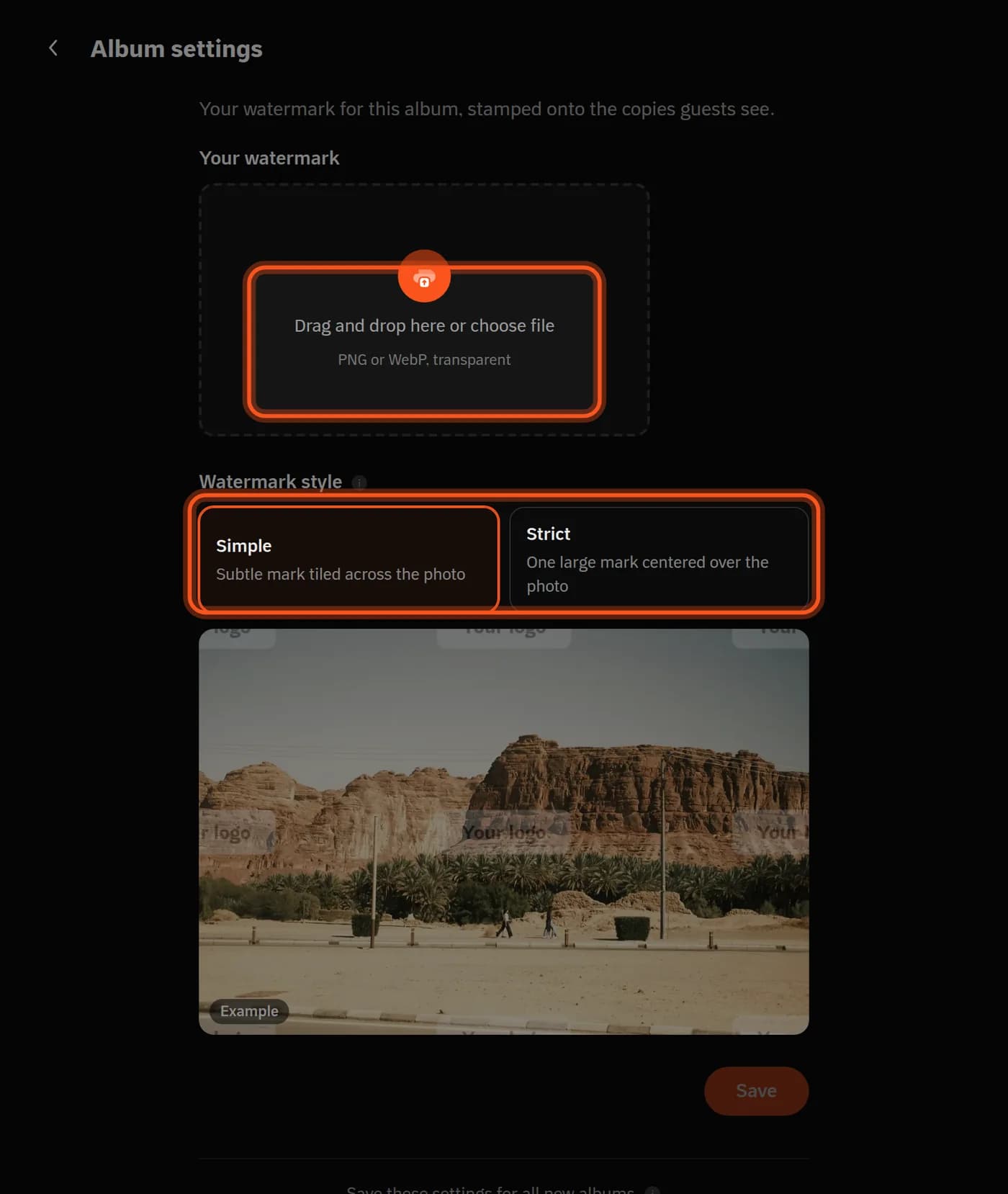
-
Tap Save. The mark is stamped onto every photo already in the album, automatically.
Tall photos
In the Strict style, a wide logo covers less of a tall photo. Turn on Use a different watermark for tall photos and upload a second logo for them.
A photo without the mark
Right-click the photo and choose Remove watermark; bring it back with Apply watermark.
For every new album
Tap Save these settings for all new albums at the bottom of the tab.
When you sell
Each product lets you offer the download with the watermark, without it, or both. Read how to sell event photos.
Last updated: October 27, 2026